 ToneTracker
Our Broadcast Tools Switcher Package
TuneTracker System comes equipped with the ability to broadcast a single live input source such as a mixer or microphone preamp, which suffices for some radio stations.
For others, though, there's a real need to be able to selectively broadcast a variety of audio sources, including satellite networks, incoming phone lines, Marti receivers, feeds from other studios such as the News Room, the Sports Desk, the Production Room, etc. If that's the situation at your station, our ToneTracker switcher packages, featuring world class switcher hardware from Broadcast Tools, are just the ticket.
Included in each of our three different hardware/software packages is our ToneTracker switcher control software interface for AutoCast, a Broadcast Tools stereo switcher box, a Broadcast Tools TwinMatch box (allowing you to adapt two unbalanced stereo audio sources to balanced signals), a serial control cable, and complete instructions. A software-only solution is also offered for stations that already have the necessary Broadcast Tools hardware.
ToneTracker packages can be purchased at the time you buy AutoCast from us, or later, if you already own it.
Take command...
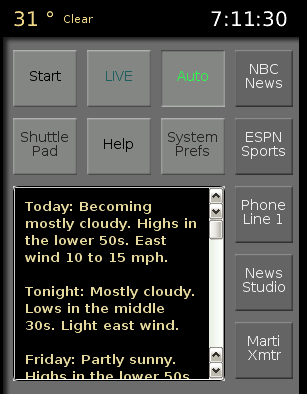 With a ToneTracker package added to AutoCast, you gain an exciting new level of command and control over all aspects of your broadcast operation.
Configurable Buttons
A multi-page set of control buttons can be quickly configured to select specific input channels on the switcher, routing each to the output of your choice. Every button can be custom-labeled for clear, easy identification. When you click on the button of your choice, its corresponding switcher channel is instantly put on the air. You can also set up buttons to preview/audition networks and other audio sources off the air.
Automated Switching
AutoCast with a ToneTracker package can do flawless switching on an automated basis. All it takes is a single line added to your program log, to put an input channel on the air. Switcher events can be set to a specific length of time, or left open-ended so that they aren't taken off the air until a designated time, later in your program log...a feature useful in situations where you need to join a network "in progress" following an audio event of unpredictable length.
ToneTracker comes with a "permanent channel" option that lets you reserve one of the switcher's input channels for the output of your TuneTracker computer. When the feature is activated, AutoCast will permanently hold the reserved channel open at all times. This is a great approach for stations that don't want to have to combine their TuneTracker computer's output and switcher's output "downstream." Click to see a simple way to connect-up your switcher and TuneTracker computer.
The switchers included in all three of our ToneTracker packages also have the ability to receive and send relay closures, which is fully supported by the ToneTracker interface. It allows AutoCast to respond when relay closures are received, to take breaks, play "magic calls" and IDs, etc. It gives you the option of wiring an outside, physical button to trigger the next event in AutoCast. It also lets you set up "relay buttons" in AutoCast, to start physical devices like tape decks, and coffee makers!
Four Different Packages
With three different ToneTracker packages, there's one to accommodate any size station!
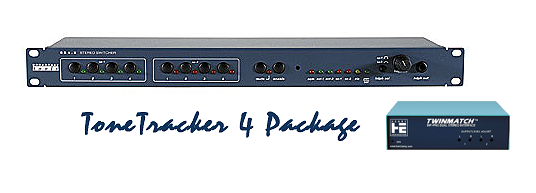
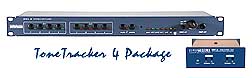 ToneTracker 4 includes a professional, rack-mountable Broadcast Tools switcher with four balanced stereo inputs and two balanced stereo outputs, a TwinMatch unbalanced-to-balanced converter box that handles two stereo channels, the ToneTracker switcher interface for AutoCast, a serial-to-USB adapter, and full instructions. (click to enlarge image on right)
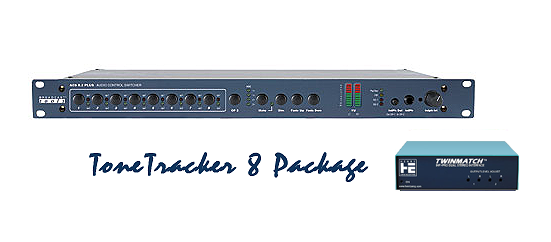
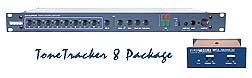 ToneTracker 8 includes a professional, rack-mountable Broadcast Tools switcher with eight balanced stereo inputs and two balanced stereo outputs (the switcher included in this package gets extra coolness marks for its front panel VU meters), a TwinMatch unbalanced-to-balanced converter box that handles two stereo channels, AutoCast's ToneTracker switcher interface, a serial-to-USB adapter, and full instructions. (click to enlarge image on right)
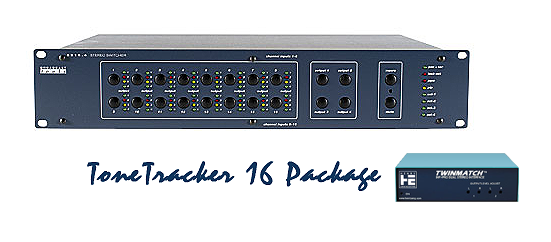
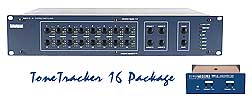 ToneTracker 16 includes a professional, rack-mountable Broadcast Tools switcher with 16 balanced stereo inputs and four balanced stereo outputs, a TwinMatch unbalanced-to-balanced converter box that handles two stereo channels, AutoCast's ToneTracker switcher interface, a a serial-to-USB adapter, and full instructions. (click to enlarge image on right)
Already have the Broadcast Tools hardware you need? You can also purchase just our ToneTracker software interface for $299. See the listing at the very bottom of this page.
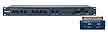 |
ToneTracker 4Complete Switcher Package Includes Broadcast Tools 4x4 stereo switcher, 2x2 unbalanced-to-balanced converter box, serial control cable, complete instructions, AutoCast's ToneTracker switcher interface.Clicking this button certifies you agree to our terms and conditions. |
$749.00 $55 Shipping Qty: 
|
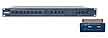 |
ToneTracker 8Complete Switcher Package Includes Broadcast Tools 8x2 stereo switcher, 2x2 unbalanced-to-balanced converter box, serial control cable, complete instructions, AutoCast's ToneTracker switcher interface.Clicking this button certifies you agree to our terms and conditions. |
$999.00 $55 Shipping Qty:
|
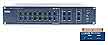 |
ToneTracker 16Complete Switcher Package Includes Broadcast Tools 16x4 stereo switcher, 2x2 unbalanced-to-balanced converter box, serial control cable, complete instructions, AutoCast's ToneTracker switcher interface.Clicking this button certifies you agree to our terms and conditions. |
$1399 $55 Shipping |
 |
ToneTracker Switcher LicenseSoftware Only - No Hardware Not required if you purchase one of the combo packages above. Enables AutoCast to interface with the Broadcast Tools line of switchers via serial control cable connection (cable not included). License delivered via e-mail.Clicking this button certifies you agree to our terms and conditions. |
$299 Qty:
|