Your Program Chain Just Got a Lot More Capable
Up until now, if you wanted to shape the sound of your station beyond what AutoCast already handled, you needed a separate piece of hardware, a standalone processing box, or a workaround involving another app entirely. That changes with the new Plugin Chain, available now in System 7 Basic and Pro.
In plain terms: you can now insert a chain of real audio effects — the same kind of professional plugins used in recording studios and broadcast processing racks — directly onto the audio AutoCast sends out to your listeners. Add a compressor to even out your levels. Drop in a parametric EQ to warm up or brighten your sound. Add a touch of reverb or delay for character. Stack several together and arrange them in whatever order suits your station.
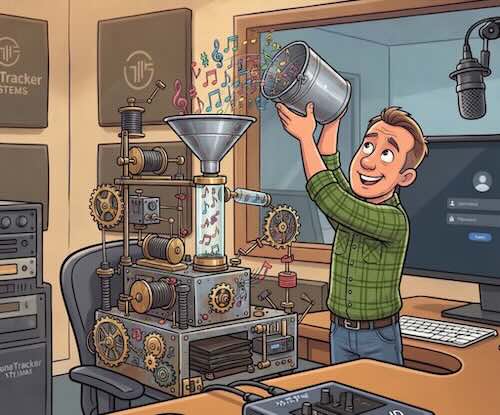
Built on What's Already on Your Mac
Like the rest of the TuneTracker System, this feature is designed to work with macOS rather than around it. Apple has built a genuinely excellent set of audio effects directly into every Mac — Audio Units, or "AU" plugins — and the Plugin Chain is built to use them natively. AutoCast ships with five of Apple's own studio-grade effects ready to go, at no extra cost and no extra installation:
- Compressor — evens out your levels automatically
- Peak Limiter — catches loud peaks cleanly
- Parametric EQ — shapes your station's tone
- Matrix Reverb — adds space and character
- Delay — classic echo and slap-back effects
And if you already own third-party AU plugins — from any developer, for any purpose — they'll simply show up alongside Apple's, ready to add to your chain. There's nothing special to install or configure on our end. If your Mac can see it, AutoCast can use it.
Simple to Use, Hard to Mess Up
The Plugin Chain lives in a new tab under Settings → Audio. It's a straightforward list: add a plugin, drag it into the order you want, and it's live. Every plugin gets its own quick bypass switch, so you can A/B a compressor or EQ setting instantly, without interrupting your air chain. Plugins that come with their own settings window — and most do — open right up in AutoCast, the same way they would in any other Mac audio application.
One thing we thought carefully about: no matter how many effects you stack up, or how you arrange them, AutoCast's existing loudness protection always runs last, after everything else in your chain. That means you get full creative control over your sound without any risk of an overloud plugin sending an unprotected peak out over the air. Your settings are saved automatically per station, so your compressor curve or EQ shape will be exactly how you left it the next time you launch.
Who This Is For
Any station that's ever wanted a bit more control over its on-air sound — a touch of compression to sound more consistent, a gentle EQ lift, some polish on voice breaks — without buying a separate hardware processor or routing audio through another application. The Plugin Chain is included with System 7 Basic and System 7 Pro.
Ready to shape your station's sound?
The Plugin Chain is included with System 7 Basic and Pro. If you're running the free tier, upgrading unlocks it — along with unlimited library size and the rest of what Basic and Pro offer.
See Upgrade OptionsTuneTracker System 7 is free. Professional radio automation for your Mac, with no time limit and no credit card.
Download Free