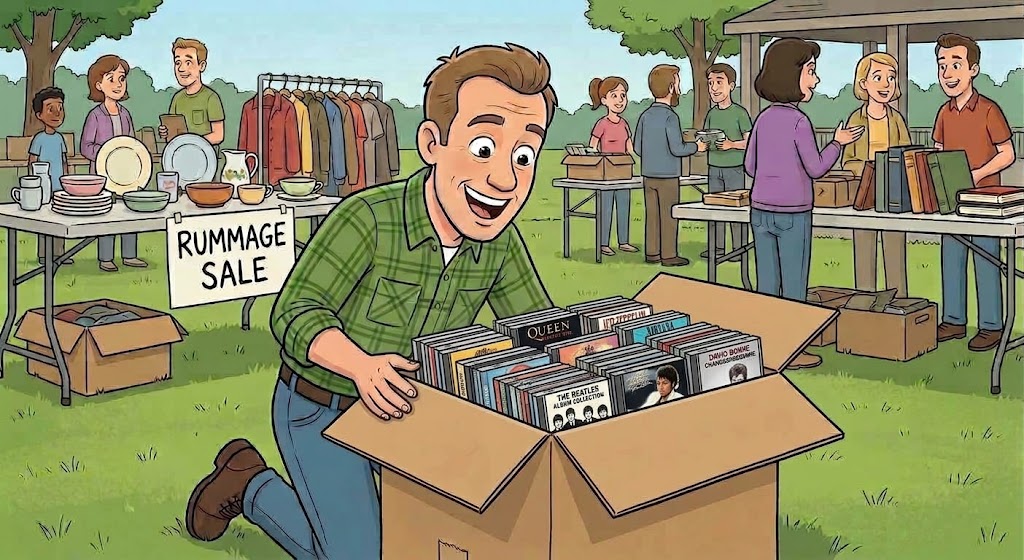
Ask a station manager how they built their music library and you'll usually hear about streaming subscriptions, licensing deals, or digital download services. Almost nobody mentions the option sitting in plain sight at every Goodwill in the country: the compact disc.
CDs didn't go away. They just went out of fashion — which, for a station on a budget, is the best possible thing that could have happened to them. A format that cost $15–$18 new in 1998 now sells for a quarter, fifty cents, or "fill a box for five bucks" at the exact same secondhand stores that wouldn't have looked at them twice a decade ago. The music didn't get worse. The demand just evaporated, and the supply is enormous.
Somebody's entire personal collection — decades of buying decisions, genres, deep cuts — regularly ends up in a single thrift store bin for less than the price of a coffee.
Where to Actually Find Them
The obvious answer is thrift stores, but not all thrift shopping is equal. Here's where the good hauls tend to be:
- Goodwill and Salvation Army. The classics for a reason — high volume, low prices, and inventory that turns over constantly. Check back regularly rather than once; today's empty CD bin is next week's donation dump.
- Garage sales and estate sales. This is where you find someone's entire collection at once — often priced to move because the family just wants the boxes gone. Estate sales in particular can turn up genuinely excellent, well-cared-for collections from a serious lifelong collector.
- Library book sales. Public libraries regularly weed their CD collections and sell them off for next to nothing at annual "friends of the library" sales. Often exceptionally well cared for, since libraries handle their media carefully.
- Pawn shops. Hit or miss, but worth a look, especially in areas with a lot of turnover.
- Online lots. eBay, Facebook Marketplace, and local classifieds regularly have "500 CDs, make an offer" listings from people clearing out storage units or downsizing. Bulk lots can bring the per-disc cost down to pennies.
- Estate liquidators and auctions. Less picked-over than retail thrift, since most bargain hunters don't think to look there for music. Worth building a relationship with a local auction house.
- Ask your listeners. Announce that the station is looking for CD donations. Community stations in particular tend to get an enthusiastic response — people would rather see their old collection get played on the air than sit in a landfill.
A little consistency goes a long way here. A station that checks the same three thrift stores every couple of weeks will out-build a station that does one big shopping trip and calls it done.
Ripping: More Than Just "Import to iTunes"
Getting the audio off a CD is the easy part — any basic ripping tool can pull the tracks. The harder, and far more important, part is getting those tracks ready to actually sound professional on the air. This is where a lot of stations shortcut themselves without realizing it.
A CD, straight off the disc, is not broadcast-ready. It's raw audio with three specific problems for radio use:
1. Silence trimming
CDs are full of dead air — a beat of silence before the first note, a long tail after the last one. Left in, that silence becomes awkward gaps and slow starts every time the song plays. It needs to be trimmed close and clean before the file goes into rotation.
2. Loudness normalization
Albums from different eras and different mastering engineers land at wildly different loudness levels. Play them back to back without normalization and your listeners hear a jarring volume jump on every transition — one of the fastest ways to make a station sound amateur, even when the music itself is great.
3. Transition markers — EOM and ramp times
This is the one that's easy to miss if you've never worked with real broadcast automation. Your automation software needs to know where the vocal ends (the EOM, or "end of message" point) so a host can talk over the outro without stepping on the next line, and it needs a ramp time — how long the intro runs before vocals start — so intros aren't clipped and segues land cleanly. A file with no transition data plays fine in isolation and sounds sloppy in an actual on-air rotation.
Do all three by hand, one file at a time, across a few hundred CDs, and you're looking at a genuinely enormous amount of tedious work. This is exactly the kind of job that should be automated — and, as it happens, we built something for exactly that.
Meet Ripper
Ripper is a new tab built right into Librarian, TuneTracker's library and metadata tool. Instead of ripping a CD with one tool, cleaning it up with another, and hand-entering transition points in a third, Ripper handles the entire pipeline in one place:
- Auto-detects the disc the moment you insert it
- Seeks out artist, album, and track metadata online automatically — no manual typing
- Trims silence, and normalizes volume on every track
- Ripper's wizard walks you through the Attribute and Transitions editors right after a rip, so you're less likely to forget to mark them
- Exports as AIFF, WAV, FLAC, ALAC, or AAC, whatever your station standardizes on
- Drops the finished, tagged, broadcast-ready file straight into your library
The practical effect: what used to be four separate manual steps — rip, clean, tag, mark transitions — becomes one pass through a single tab. Feed it a box of thrift-store CDs on a slow afternoon and watch your library grow, properly prepped, without the usual grind.
Ripper is a one-time $39.95 purchase that unlocks the tab inside Librarian — no subscription, use it forever. See how it works and get Ripper →
That box of CDs at Goodwill isn't clutter. It's your next library expansion.
Ripper turns a stack of secondhand discs into properly prepped, broadcast-ready files — right inside Librarian.
Get Ripper
TuneTracker System 7 is free. Professional radio automation for your Mac, with no time limit and no credit card.
Download Free