TuneTracker News
AutoCast Adds One-Click Playlist Mode for Instant Specialty Programming
A holiday music block. An underwriter's dedicated set. A specialty hour that needs its own sound. Now it's one click away — and just as easy to end.
A holiday music block. An underwriter's dedicated set. A specialty hour that needs its own sound. Now it's one click away — and just as easy to end.
AutoCast, TuneTracker Systems' radio automation software, now lets stations drop into a dedicated music set with a single click — no editing today's program log required.
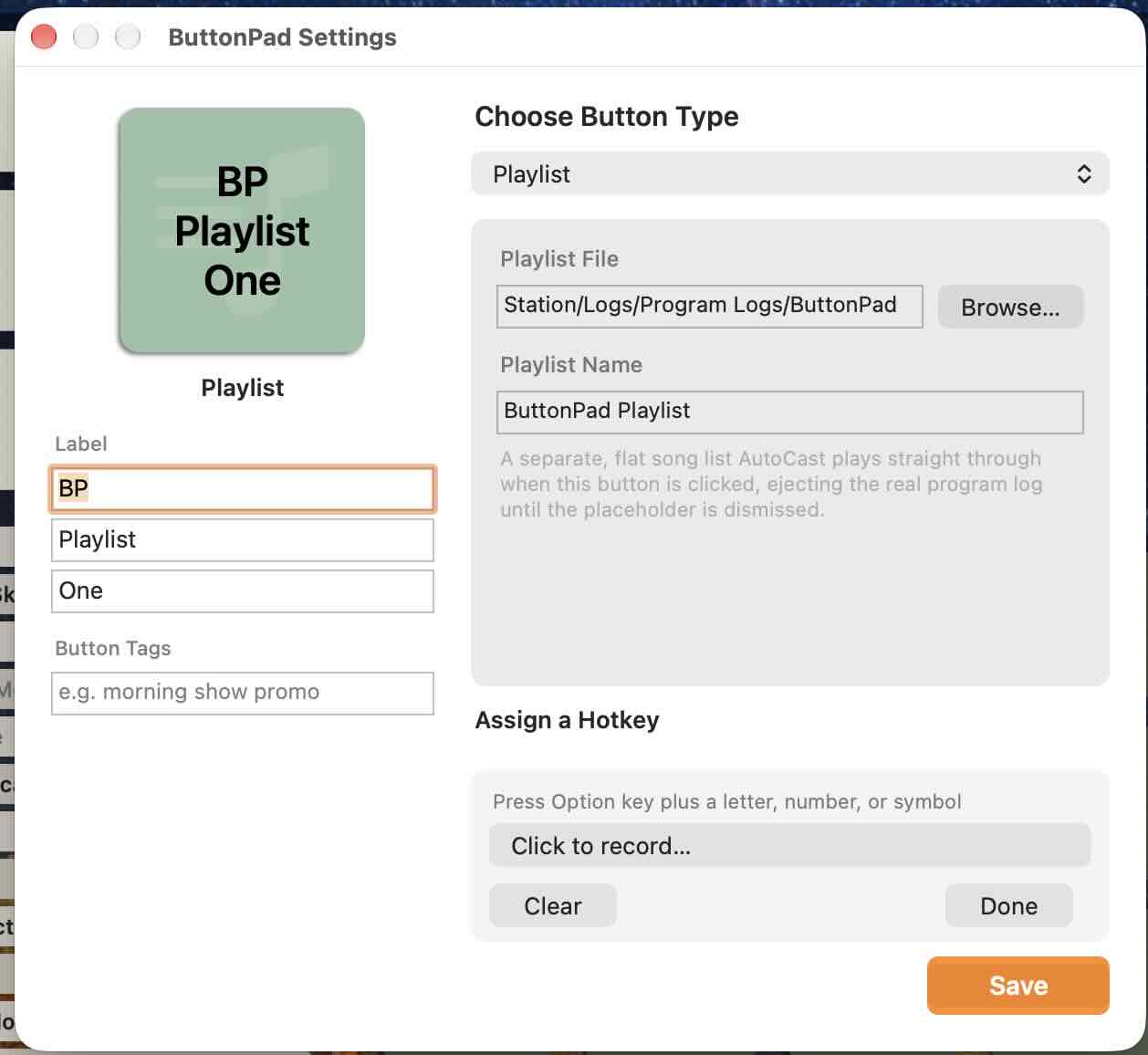
The new Playlist Button is a ButtonPad button type that does something no other AutoCast button does: it temporarily sets aside your regular, carefully scheduled automation and plays straight through a separate song list instead. Click it, and AutoCast instantly stops whatever's on air and begins playing the playlist, crossfading from song to song in real time just like normal automation — no jarring cuts, no dead air.
A holiday music block. An underwriter's dedicated music set. A long-form overnight mix. A specialty program that needs its own sound for an hour. Instead of rebuilding or interrupting the day's log, an operator just clicks a button.
When it's time to return to regular programming, the same button ends the session — a quick click cuts it off immediately, or press and hold for a graceful four-second fade-out. Either way, AutoCast picks the real program log back up exactly where it should be for the current time, automatically.
Playlists for these buttons are designed in ClockWork's ClockMaker tab, so building one uses the same familiar tools stations already use to build their regular logs — just saved as its own standalone list and assigned to a button.
Once assigned, a Playlist button can be set to loop continuously for as long as it's needed, or to play one song at a time for an operator who wants to advance manually.
The Playlist Button is available now in AutoCast, included with the free System 7 suite — no additional purchase required.
AutoCast's Playlist Button handles specialty programming without ever touching your regular schedule. Free in TuneTracker System 7.
Learn About AutoCastContinue Reading
Practical guides for broadcasters who care about their craft and their community.