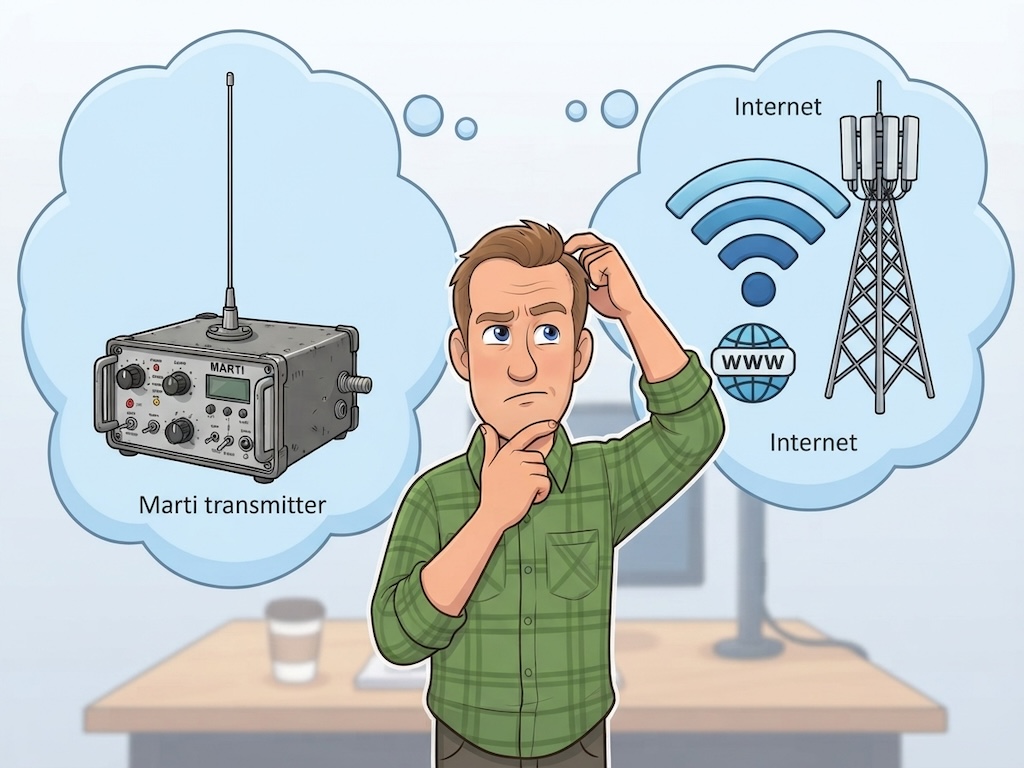
Ask an engineer who's been around long enough to remember and they'll tell you: the Marti was a great piece of gear. You put a transmitter in a rugged case, pointed an antenna toward the station, and you were on the air from the car dealership, the ballpark, or the county fair. It worked for decades.
But the question worth asking today isn't whether the Marti was good. It was. The question is a practical one: from the places where your station actually broadcasts, which is more likely to get your signal back to the studio — a Marti, or the internet? And a second question follows from it: how much has that answer changed?
We think the honest answer is that the tide has turned. Here's the case, along with the places where it hasn't.
Give the Marti Its Due
A fair comparison starts with what the Marti does better than anything on the internet. A Marti link is yours. It doesn't run through a cell carrier, a venue's Wi-Fi, or anyone else's network. When thousands of people at a festival are all trying to upload video at once, your Marti doesn't notice. When a storm knocks out a cell tower, a Marti pointed at your station's receive antenna is still talking. And its delay is tiny.
Those are real advantages, and they matter most at the moments radio matters most. If your station is the community's emergency voice, keeping a licensed radio link in your toolkit is a sound decision.
Where the Marti Runs Out of Road
The Marti's limitation is baked into physics. Remote pickup units work on VHF and UHF frequencies — under the FCC's rules for remote pickup stations, that's channels in the 150–170 MHz range and around 450–455 MHz, plus a few in the 26 MHz band. Signals at those frequencies travel in something close to a straight line. Range is set by the horizon, and hills, buildings, and trees get a vote.
That means a Marti's success depends on how far you are from your own station and what's in between. A remote from the dealership across town is easy. A remote from the fairgrounds two counties away, or the lake on the far side of a ridge, might need a relay site or simply won't work. And the further you go into the sticks, the worse your odds get — which is exactly when you'd most like the equipment to come through.
There's also the paperwork and the people. A Marti needs an FCC license and an assigned frequency, an antenna and receive setup at the station, and someone at the other end to put the feed on the air.
There's one more difference, and it's as much about taste as engineering. Anyone who has listened to a lot of Marti remotes knows the sound: a certain softness, some muddiness in the voice, and often a bit of hiss underneath, especially as the signal weakens. It's a familiar sound, and for plenty of listeners it says "remote broadcast." But it comes from sending audio over a radio link. An internet connection doesn't fade into hiss the way a weakening radio signal does, so voice from an internet remote arrives clean and clear.
A Marti fails because of distance from your station. An internet connection doesn't care whether you're five miles away or five hundred.
Where Do Your Remotes Actually Happen?
Here's a useful exercise. Look back over the last year of your station's remotes and write down where each one was. For most stations, the list looks something like this: the car dealership. The furniture store's grand opening. The high school football field. The bank's community day. The county fair. The Fourth of July celebration in the park. The chamber of commerce mixer.
These are places where people gather, and people gather where there's electricity, parking, and — more and more — Wi-Fi and good cell coverage. Most of them are businesses and public venues, not mountaintops. If yours look like that list, the question isn't whether the internet can reach these places. It's whether there's any reason left to haul out RF gear for them.
What the Coverage Numbers Actually Say
The best public data comes from the FCC. Its most recent figures (mobile coverage as of June 2025, published in the FCC's 2026 broadband deployment report) show:
- 5G coverage at 35/3 Mbps reaches 95.2% of Americans, up from 94.3% a year earlier and 93.0% the year before that.
- In urban areas, it's 99.3%. In rural areas it's 79% — better than it was, but a real gap.
- About 94% of Americans have wired broadband at 100/20 Mbps, and roughly 97% when fixed wireless is counted.
Some honest caveats. Those figures count people, not land area, so the empty stretches between towns are underrepresented. They measure outdoor coverage as reported by the carriers, and indoor speeds are typically much lower. Independent analysts who have looked closely at rural coverage note that the FCC's maps don't always match what people actually experience, and that speeds fall off fast with distance from a tower. If you're standing in a metal barn at the edge of a county road, the map is only a rough guide.
But look at the trend and the venues. Coverage is improving every year, and the places stations broadcast from are, overwhelmingly, the places where coverage is best.
The Number That Really Matters: 60 Kilobits
The coverage figures above use a benchmark of 35 megabits per second down. That's a demanding standard, built for streaming video and downloading apps. A live remote broadcast needs nothing of the kind.
CastAway, our remote-broadcast add-on for AutoCast, uses less than 60 kilobits per second, both directions combined: about 24 kbps for the station audio you monitor and about 32 kbps for your microphone. That's less than half of a single 128 kbps MP3 stream, and well under one percent of the 35 Mbps benchmark.
That changes the question. You don't need to be in a 5G hot spot. You need a connection solid enough to carry something closer to a phone call — the kind of signal that can load a web page and hold a steady link. That's far more places than the headline coverage maps suggest, including plenty of spots where video would stutter and stall.
The Honest Weak Spots
Cellular has real weaknesses, and pretending otherwise wouldn't help you. Engineers have pointed out for years (Radio World was making the point back in 2014) that big events are hard on cell networks: when thousands of people are pressed together sharing one tower, connections get slow and unreliable. And a cell-based link depends on a carrier, which may not be there when you most need it in an emergency.
The good news is that each of these problems has a workable answer:
- Scout the location. Test the Wi-Fi and the cell signal at the exact spot where you'll sit — ideally at the same time of day as the event. We wrote about how to do this in Doing a Dress Rehearsal From a New Remote Location.
- Get off the crowded tower. Ask the venue for a wired Ethernet connection or their staff Wi-Fi, or bring a dedicated hotspot on a different carrier from the one everyone else uses.
- Bring your own sky. Portable satellite terminals such as Starlink's Mini set up in minutes, need only a clear view of the sky, and reach places with no cell service at all. CastAway's tiny bandwidth needs are well within what they offer. And that's the point: the old advantage of the Marti — being able to broadcast from the middle of nowhere — is exactly the ground the internet is now taking.
For the truly remote spot, there are still other approaches — recording and uploading later, or even driving the files back to the station. But those situations are the exception now, not the rule.
So, Has the Tide Turned?
Marti RPU
Independent of carriers and networks. Keeps working when cell service is congested or down.
Internet (CastAway)
Depends on a Wi-Fi or cellular connection — which is why you scout the location and bring a backup.
Marti RPU
Line of sight to a receive antenna. Distance from the station and terrain decide whether it works.
Internet (CastAway)
Works from anywhere with a usable connection. Distance from your station doesn't matter at all.
Marti RPU
If the link drops, your live feed is gone and someone at the station has to notice and cover.
Internet (CastAway)
AutoCast keeps playing at the station and CastAway reconnects automatically.
Marti RPU
A softer, sometimes muddy sound, often with a little hiss, especially as the signal weakens.
Internet (CastAway)
Clean digital audio. No radio hiss, and no muddiness from the link itself.
Marti RPU
FCC license, assigned frequency, antenna and receiver at the station, and someone there to put you on the air.
Internet (CastAway)
A laptop, a headset, and a browser. No one needs to be at the station.
For the typical community-station remote — the dealership, the fair, the ballgame, the festival — we think the answer is yes. The internet reaches nearly all of these places, it does so with less equipment and paperwork, and it fails more gracefully when it does fail. The Marti's great advantage was always its independence, and it's still valuable for emergency backup or for a spot with a long, clear path back to your tower. But as the everyday tool for getting a remote on the air, its era is fading.
We haven't said the tide has gone out. It has turned.
Putting It to Work: How CastAway Fits
A connection is only half of a remote broadcast; the other half is what you can do once you're on it. That's where CastAway is different from a simple audio link.
You open a web browser at the remote location, sign in, and see AutoCast itself — the player decks, the program log, and your ButtonPad — as if you were sitting at the console in the studio. The audio runs both ways: the station's on-air sound streams to your headphones so you can hear what's playing and time your break, and when you click Go Live your microphone goes straight to the air. Between breaks, you fire jingles and sweepers from the same ButtonPad you'd use at the station, then click again and automation picks up.
One practical note: over the internet, the audio in your headphones runs a second or two behind what's actually happening at the station. CastAway is designed with that in mind — you time your breaks by watching the countdown timers on the player decks — and your listeners never hear the delay.
And because CastAway is a guest inside AutoCast rather than a replacement for it, the station never depends on the remote link staying up. If your connection drops, AutoCast keeps playing at the studio, and CastAway reconnects automatically as soon as it can. Compare that to a dropped RF link in the middle of a live break.
We covered the gear side of this in Has Marti Met Its Match?, and walk through a full broadcast in Doing a CastAway Remote Broadcast.
Quick Checklist
- Think about your last year of remotes. How many were somewhere with Wi-Fi or solid cell service?
- For a new location, test the connection at the exact spot you'll broadcast from — at the same time of day.
- Big crowd? Get a wired connection or venue Wi-Fi, or bring a hotspot on a different carrier.
- Truly off the grid? A portable satellite terminal can give you a connection anywhere you can see the sky.
- CastAway needs less than 60 kbps, so a modest connection is often plenty.
- Keep a licensed radio link handy if you want an independent backup for emergencies.
Sources: FCC Broadband Data Collection and 2026 Section 706 broadband deployment report (coverage figures, as of June 2025); 47 CFR §74.402 (remote pickup frequencies); Radio World.
Your station can be anywhere the story is.
With CastAway, a laptop and a headset are all it takes to run your station from wherever you are. TuneTracker System 7 — free version available.
Learn About CastAway