Remote Broadcast Interface · macOS Add-On
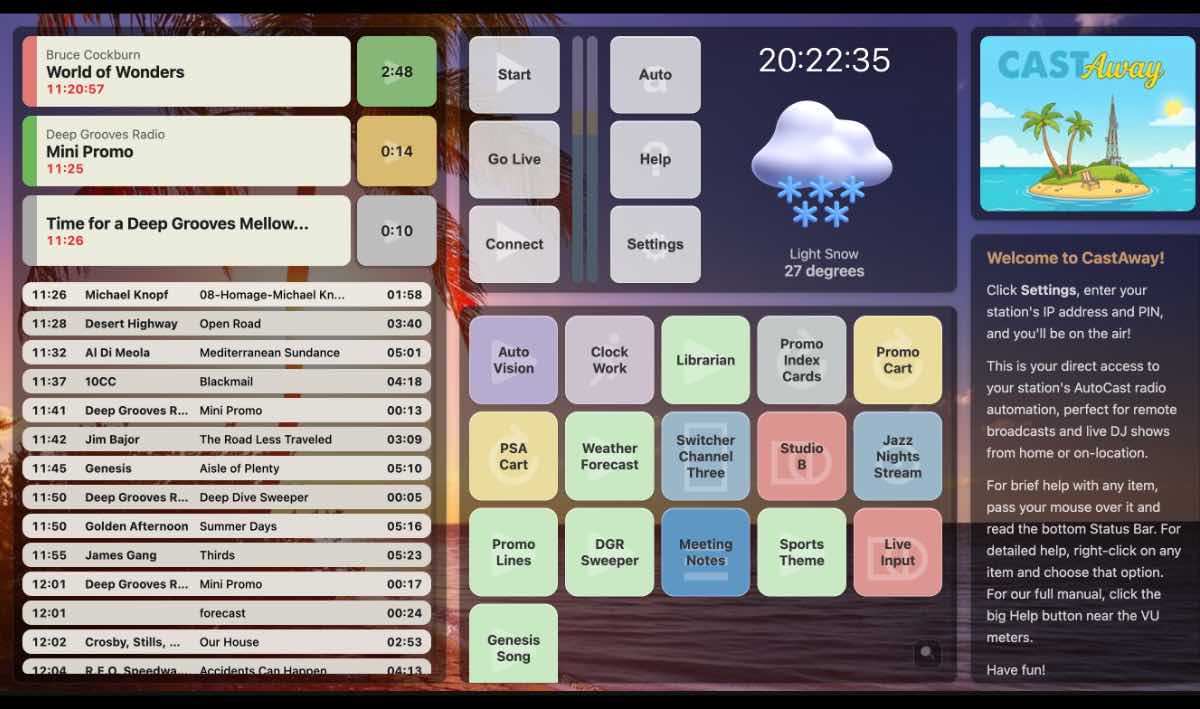
CastAway gives you a complete remote broadcast interface that connects to AutoCast over the network. Do live remotes, on-location events, and off-site shows with the same control you'd have sitting in the studio.
Why CastAway
Take your station anywhere. CastAway connects to AutoCast over the network and gives you full control — no compromise.
CastAway replicates the AutoCast experience so faithfully that remote broadcasting feels natural and familiar. No learning curve — if you know AutoCast, you already know CastAway.
Connect to your station's AutoCast instance over your local network or remotely. CastAway communicates in real-time, so every action you take is reflected instantly at the station.
Perfect for live remotes, fundraisers, sports broadcasts, and community events. Take your station on the road with confidence, knowing you have full control of your broadcast.
Feature Overview
A quick-scan reference of CastAway's core capabilities. Full documentation covers every detail.
Access your AutoCast command screen, program log, and controls from any Mac on the network.
Insert audio, trigger buttons, and manage your broadcast in real-time from the remote location.
Works over your local network or via secure remote connection for off-site broadcasting.
The same layout and workflow you know from AutoCast — no retraining needed.
Every change syncs instantly. What you see on CastAway is exactly what's happening at the station.
Full access to your station's ButtonPad library from the remote interface.
View, edit, and manage the program log remotely — add events, rearrange, and make changes on the fly.
Minimal system requirements. CastAway runs lean so your broadcast Mac can focus on what matters.
Download CastAway and take your station anywhere.