The Sticker Price Lie
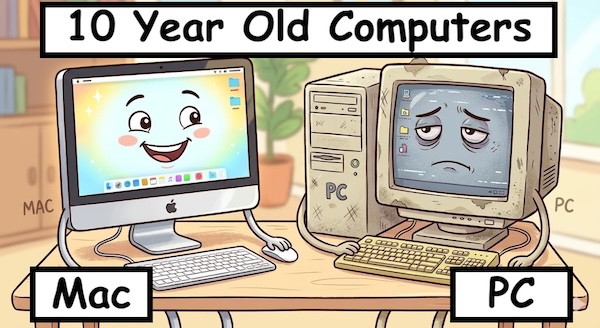
Walk into any computer store and the comparison feels stacked. A Mac mini and a Dell or HP tower with comparable specs on paper can have a price gap of three hundred, five hundred, sometimes a thousand dollars. The obvious conclusion is that Macs are expensive, and a small station running on a tight budget should buy the cheaper Windows machine.
That conclusion stops being true the moment you start counting all the other money that flows out of a computer over its lifetime. Power consumption. Replacement frequency. Maintenance time. Resale value. Software upgrades. License fees. The number of computers you actually need to do the job. Once those line items are on the table, the math changes — sometimes dramatically — and the "expensive" Mac turns into the cheaper purchase by a wide margin.
Let's walk through the line items.
One Studio. Two or Three Jobs.
This is the line item that surprises people the most, and it's the biggest one for small stations. A modern Mac is so powerful and so stable that a single machine can comfortably run radio automation, internet streaming, library management, and a full production environment, all at the same time, on the same desk.
For a station with one person on duty per shift, that means one studio for live broadcast, automation, and production. Instead of a dedicated automation tower in a closet, plus a separate production room, plus maybe a third machine for streaming, you have a single Mac doing the whole job. The on-air person tracks live segments, edits commercials, builds tomorrow's promo, queues up the next break, and updates the music library — all without leaving the chair, and without the on-air audio missing a beat.
That's not a corner case. That's how a lot of small and mid-sized stations are running today. And it changes the cost equation entirely.
What That Saves You
Two computers you didn't have to buy. Two computers you don't have to power. Two computers you don't have to maintain or update. Two computers you don't have to replace down the road. Two sets of cables, two desks, two licenses, two backups.
The Mac isn't five hundred dollars more expensive than the Windows tower. It's a thousand-plus dollars less expensive, because you only bought one machine instead of three. And the production audio — the work that gets recorded, edited, and aired — sounds better than it would have on the Windows path, because the Mac's audio handling has always been the better foundation for that kind of work.
Macs Last Longer. By a Lot.
The other big line item is replacement frequency, and this is where the gap is largest. Anyone who has owned both kinds of machines can usually tell you, from lived experience, that their Macs lasted twice as long as their PCs — sometimes longer. The industry numbers back that up.
What the Studies Show
In 2015, IBM ran a now-famous internal study after deploying Macs alongside Windows PCs across part of its workforce. Their finding, presented at conferences and reported widely in the years since: the all-in cost per Mac over four years came in lower than the cost per PC, despite the Mac's higher purchase price. IBM reported that Mac users generated significantly less help-desk activity, required fewer support escalations, and stayed productive longer than their Windows-using colleagues. The study has been replicated in tone, if not in exact numbers, by other analysts since — Forrester, ESG, and others have come to similar conclusions.
Industry surveys consistently put the average usable life of a Mac at five to seven years, with many examples lasting eight to ten or more. The corresponding number for a typical Windows PC lands in the three-to-four-year range — sometimes shorter for cheaper desktop models, sometimes longer for premium business laptops, but consistently below the Mac.
It's normal to find Macs in active service that are seven, eight, even ten years old — still booting reliably, still getting at least security updates, still doing real work. PCs of the same age have, with rare exceptions, been retired or repurposed.
Why the Difference Is So Large
Several reasons stack on top of each other:
- Apple controls the hardware and the software. Drivers don't drift out of sync with the OS. Updates are tested against a known set of machines. The system isn't asked to support a million combinations of motherboards, audio chipsets, and power supplies.
- macOS support tails are long. Apple typically supports Mac models with current macOS for seven or more years, and provides security updates well beyond that. Windows machines often hit "no longer supported by the manufacturer" before they hit "no longer working."
- The hardware is built better. Aluminum cases, soldered components, fanless or low-fan designs, and tight thermal management mean fewer mechanical failures and less heat-cycle wear over time.
- No bloatware tax. Macs ship clean. Windows machines from major vendors often arrive loaded with pre-installed third-party software that slows the system from day one and tends to stay there until someone strips it out.
It's not one big advantage. It's four or five medium-sized advantages compounding over the life of the machine.
Resale Value That Holds Up
When a Mac does eventually get replaced, it sells. Apple's used market is famously strong — three-year-old Macs routinely fetch fifty to sixty percent of their original price. A three-year-old Windows desktop, with rare exceptions, fetches a fraction of that. Many of them can't be given away.
For a station that buys a new computer every few years, that resale recovery is real money toward the next one. For a station that holds onto computers for six or eight years — which is what most Mac-using stations end up doing — the lower replacement frequency means fewer purchases at all. Either way, the math tilts toward the Mac.
And You Don't Have to Buy New
Here's the corollary to the longevity story. Because Macs stay reliable and fast for so many years, buying a Mac that's a few years old is a perfectly reasonable way to set up a station — not a compromise, not a budget version of the real answer, just a different point on the same long curve.
A three- or four-year-old Apple Silicon Mac mini is, for radio purposes, indistinguishable from this year's model. It runs the same macOS. It runs TuneTracker the same way. It handles the same audio loads with the same rock-solid stability. The only thing the buyer of a new Mac is paying extra for is a slightly faster benchmark number on jobs the station will never actually run.
That changes the math again. A used Mac mini in good condition often sells for half of a new one or less, with years of reliable service still ahead of it. Combine that with the doubling-up advantage and the long support tail, and a small station can put together an all-in-one rig for well under what a single new Windows tower would cost — on a machine that will outlast it anyway.
The one thing to watch is the support window: aim for a model that Apple is still shipping current macOS updates for. On the Apple Silicon side, that's broadly the last seven or so years of releases. Beyond that line, the machine keeps working, but the OS stops getting new security updates, and a station rig should stay inside the supported zone.
The Software Stays Free
macOS upgrades have been free since 2013. Major version after major version, Apple ships a new release and the older Mac just downloads it. There's no Pro-vs-Home tier. There's no per-seat licensing. There's no "you'll need to pay to move to the next version."
The Windows situation is messier. Major version transitions sometimes cost money, especially for small businesses on Pro or Server editions. Stations running automation on a server-class Windows install can find themselves paying recurring licensing fees just to stay on supported software. And the bundled-software story tilts the same way — Macs ship with GarageBand, iMovie, Numbers, Pages, and a handful of other tools that a small station can use on day one without paying for anything else.
Less Maintenance. Less of Your Time.
Time is a cost too, especially at a station where the engineer is also the morning host, the production director, and the volunteer coordinator. Time spent fighting Windows updates, antivirus subscriptions, driver problems, and forced reboots is time not spent on radio.
Macs need substantially less of this kind of attention. The IBM study quantified it as roughly five times less help-desk traffic per Mac than per PC. Most small stations would settle for "I don't have to think about it for weeks at a time" — and that's roughly what running on a Mac gets you.
That maintenance time, multiplied across a year of station operation and several years of computer life, is its own line item. It just doesn't show up on the receipt.
The Real Math, for a Small Station
Pull all the line items together over an eight-year window — the rough usable life of a current Apple Silicon Mac mini — and the comparison looks very different than it does on the showroom floor.
The Mac path: One Mac mini handles automation, production, and streaming for eight years. One purchase. One machine. One set of cables. macOS upgrades are free along the way. Maintenance time is minimal. At the end of the run, the machine still has resale value.
The Windows path: A tower for automation, plus a separate machine for production (because you don't trust the automation box with anything else), plus possibly a third for streaming. Each gets replaced once over eight years — that's three or six PC purchases, depending on how you count. Add Windows licenses, antivirus subscriptions, and the staff hours absorbed by the steady parade of updates and driver issues.
Even being generous to the Windows side, the Mac comes out cheaper — often by thousands of dollars — over a window long enough for those replacements to fully compound. And that's before you count the lower stress, fewer outages, and better-sounding audio.
And in Larger Stations, Too
The same math applies further up the dial. A medium-market station that maintains separate machines for automation, production, voice tracking, and streaming will replace those machines roughly twice as often on Windows as on Mac, and spend more time keeping them running in between. The doubling-up advantage is smaller when each role really does need its own machine, but the longevity, software, and maintenance advantages still hold — and they hold across every machine in the building.
You can size a Mac-based station to whatever scale you need: from a single Mac mini doing three jobs at a small station, to a rack of Mac minis each running a dedicated role in a larger one. The economics of the platform get better with scale, not worse.
Less Computer, More Radio
The sticker price is real, and we won't pretend otherwise. The Mac costs more on the way in. But once you account for the doubling-up, the longevity, the software, the maintenance, and the resale, the Mac costs less in every direction that matters — and often by a lot.
For a station counting every dollar — and most of them are — that's the math worth running. Less computer to buy, less computer to babysit, less computer to replace. More time and more budget for the part of the job that actually matters: making good radio.
Built to make the most of one Mac.
TuneTracker is a complete radio automation suite for macOS — playout, scheduling, library, and streaming — designed to coexist with the production work happening on the same machine. Free version available. Try the doubled-up workflow for yourself.
Download TuneTracker Free